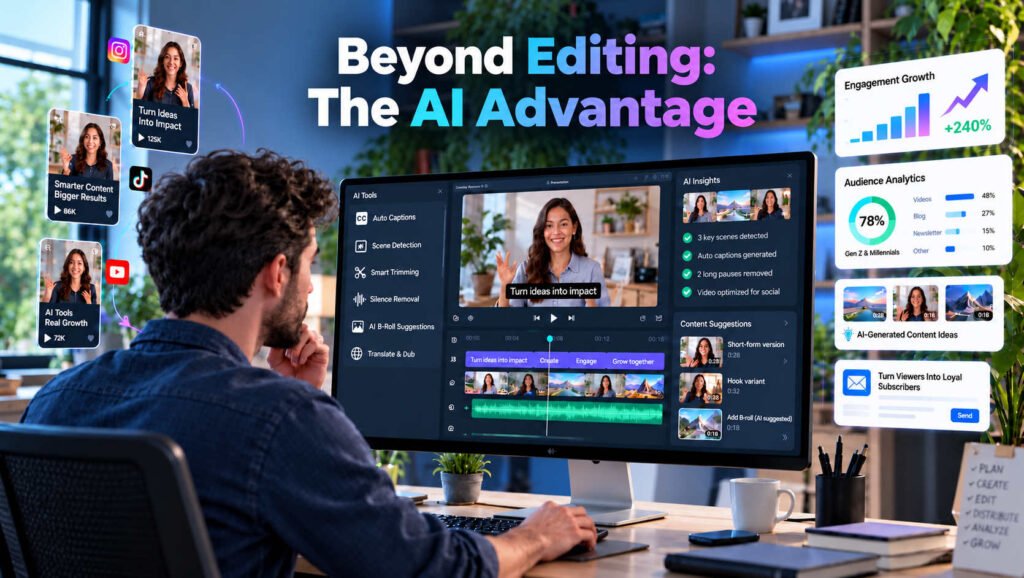
Video marketing is no longer just about producing engaging visuals. Businesses must create content consistently, adapt it for different platforms, and demonstrate measurable results. This is where AI video editing is changing traditional content marketing strategies.
AI-powered editing tools help marketers reduce repetitive production tasks, repurpose existing footage, and produce content for different audiences without rebuilding every video from scratch. According to Wyzowl’s State of Video Marketing 2026, 91% of businesses use video as a marketing tool, while 63% of video marketers have used AI to create or edit videos. These findings suggest that AI-assisted video production is becoming increasingly relevant to marketing teams. However, the real opportunity extends beyond faster editing. AI is influencing how businesses plan, distribute, optimize, and measure video content.
Why AI Video Editing Matters for Content Marketing
A typical video project includes plenty of work the viewer never sees. Someone needs to scan the raw footage, cut false starts, even out sound, add captions, check graphics, and prepare exports for different channels. A single interview can leave an editor with hours of routine work.
Now imagine the same team has a webinar to publish on Tuesday, a product update on Thursday, and three social clips due before the weekend. The issue quickly becomes capacity, not creativity. AI-assisted tools can take on selected tasks in that workflow. They are particularly useful when the work is repetitive and the team already knows what a good result should look like.
In practice, that might mean:
- Getting a rough cut ready sooner so the team can review it
- Finding several useful clips in a long recording
- Preparing different aspect ratios and captions for each channel
- Spending fewer hours on routine cleanup and formatting
- Trying a second hook or opening without editing from scratch
None of this removes the need for an editor or a marketer who understands the audience. It changes where their time goes. Instead of spending an afternoon locating the right quote, they can decide whether that quote is actually persuasive.
5 Ways AI Video Editing Is Changing Content Marketing Strategies
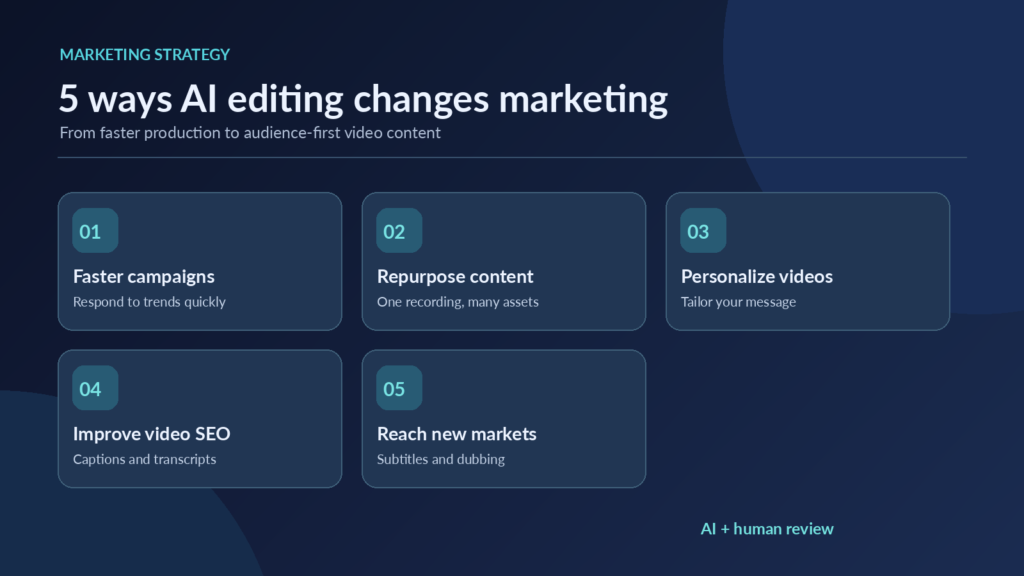
1. Faster Production Supports Agile Campaigns
Sometimes a timely idea is only useful while people are talking about it. A customer asks a question, a product feature launches, or a topic starts gaining attention in the industry. If the video takes two weeks to prepare, the conversation may have moved on.
The bottleneck is often the first edit. Teams have to review footage, remove dead space, and assemble a sequence before anyone can judge whether the story works. AI tools can speed up that early work by searching transcripts, suggesting cuts, trimming pauses, or following editing instructions written in everyday language.
One of the tools that supports this approach is invideo editor, which combines AI-assisted editing capabilities with a multitrack timeline. A marketer can describe the change they want, let the editing agent work through uploaded clips, and then adjust the result manually. That last part matters: a tool may select a clean sentence that is technically relevant but misses the speaker’s intended emphasis. A sensible workflow is to let the software build the first draft and let a person make the final calls. The team can move quickly while still checking the pacing, claims, captions, and tone.
This is especially helpful for quick-turnaround explainers, product updates, and event highlights. It is less useful when the concept itself needs serious creative development.
2. Content Repurposing Maximizes Existing Assets
Not every new post needs a new shoot. Many teams already have valuable footage tucked away in webinars, customer interviews, training sessions, and product demonstrations. The harder job is finding the few minutes that will make sense to someone who never watched the original recording. Transcript search and automated clip suggestions can make that search easier.
Take a 30-minute webinar about conversion optimization. One recording could be the starting point for several pieces of content, each serving a different purpose.
The marketing team might turn it into:
- A five-minute YouTube walkthrough of the main lesson
- Three LinkedIn clips, each focused on one practical recommendation
- Two vertical videos answering questions raised during the session
- A short introduction embedded in a related blog article
That is a useful content plan, but it is not just a matter of pressing “create clips.” A moment that works halfway through a webinar can feel confusing when viewed on its own. The speaker may refer to a slide the audience cannot see, or say “as I mentioned earlier” without any context. Each cut needs a fresh opening, enough background to stand alone, and a clear reason for the viewer to keep watching. The version for LinkedIn may need a different introduction from the one used on YouTube.
The real payoff is better use of good material, not an inflated post count.
3. Personalized Videos Improve Audience Relevance
People considering the same product do not always care about the same things. Their concerns depend on their role, budget, and stage in the buying process.
For a small business owner, the deciding factor might be how quickly a tool can be set up. A larger organization may be more interested in integration, permissions, and security. One general product video may touch on both, but it is unlikely to give either viewer exactly what they need.
With AI-assisted editing, a team can work from shared demonstration footage and produce several versions with different openings, feature sequences, and calls to action. A software company, for instance, could make one demo for new users, another for operations managers, and a third for IT decision-makers. The underlying product footage stays the same; the explanation changes.
Those versions can be tested on dedicated landing pages, in email sequences, or through paid campaigns. Rather than producing endless variations, start with two or three clearly different audience needs. Then compare watch time, clicks, and conversions. If a tailored opening attracts attention but does not lead to better outcomes, it may not deserve more production effort. Personalization works best when it answers a real question for a real audience, not when it simply swaps a headline.
4. AI-Assisted Workflows Strengthen Video SEO
A useful video can still be difficult to find. Search visibility depends partly on the page surrounding it, how clearly the topic is explained, and whether search engines can access the video. AI editing workflows can help with the supporting materials. A checked transcript can become accurate captions; the same transcript can help an editor identify key questions, chapter breaks, or topics worth covering in writing.
Suppose a company records a tutorial showing how to configure a product. The spoken explanation can provide a starting outline for a companion article. A writer can then add screenshots, missing steps, troubleshooting advice, and FAQs that are genuinely useful to someone following along. Simply pasting an unedited transcript onto a page is rarely the best reader experience.
It is worth separating content preparation from search performance. Captions and transcripts make a video more accessible and easier to work with, but they do not guarantee rankings.
Google’s video SEO documentation Google’s guidance on video SEO also highlights fundamentals such as discoverable watch pages, appropriate thumbnails, and structured information. Those details should be checked alongside the edit itself.
Start with the search question your audience is trying to answer. Make a video that addresses it clearly, and give the surrounding page enough context to be useful on its own. Before publishing, verify that the page can be crawled, the video is accessible, and the title and supporting copy accurately describe what viewers will see.
AI can reduce the preparation work. Choosing a worthwhile topic and making it genuinely helpful still requires editorial judgment.
5. Multilingual Video Marketing Becomes More Accessible
A strong tutorial may be useful well beyond the country where it was recorded. The challenge is making the content understandable without organizing a completely new production for every market.
Traditionally, that means separate rounds of transcription, translation, subtitle timing, and sometimes voice recording. Each handoff adds time and the possibility of errors. Some AI-assisted tools can produce draft captions, translations, and dubbed audio, helping teams prepare material for review more quickly.
An education business, for example, might start with one instructional video and create captioned versions for several regions. It could then ask native-speaking reviewers to check how the terms and examples land locally.
Dubbing can be useful too, although a translated voiceover that sounds natural is not necessarily accurate. A small mistake in everyday phrasing may be harmless. A mistranslated product specification, legal condition, or financial claim is a different matter. Regional expressions and on-screen text also deserve attention.
Treat automation as the first stage of localization, not the final sign-off. Someone who understands the language and subject should review the version that goes live.
How to Measure the Success of AI Video Editing
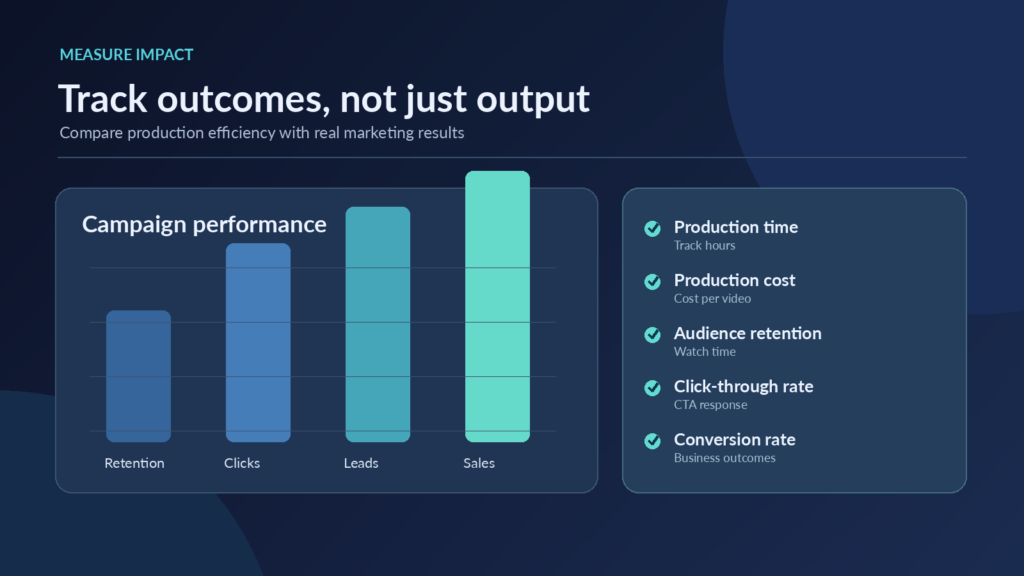
A team that publishes twice as many clips has not necessarily doubled its marketing value. Some clips may perform poorly, and quality checks may take longer than expected. Look at the time saved and the response from viewers. These are the two sides of a useful evaluation.
Metric | What to Measure |
Production time | Hours required to finish a video |
Production cost | Resources used per published asset |
Audience retention | How long viewers continue watching |
Click-through rate | Viewer response to calls to action |
Conversion rate | Leads, sign-ups, or purchases generated |
For a fair test, choose comparable videos and record the effort involved in both the existing workflow and the AI-assisted one. Keep the production brief and review standards as similar as possible. Track editing hours and cost per published asset, but put them beside audience retention, clicks, leads, or sales. The table above provides a practical starting point.
If production becomes quicker while engagement holds steady or improves, that is a meaningful result. If turnaround improves but viewers leave in the opening seconds, revisit the creative choices rather than celebrating volume.
Challenges Marketers Should Address
Speed comes with trade-offs. Automated decisions still need scrutiny, particularly when a video includes claims, customer stories, or licensed material.
Content accuracy: A clean-looking cut can remove a qualification and change the meaning of a speaker’s statement. Compare key claims against the source recording.
Brand consistency: Suggested titles, transitions, and stock visuals may feel out of place. Keep a short reference for tone, typography, and visual style.
Copyright compliance: Check permissions for footage, music, imagery, and synthetic assets before publication. Being able to generate or import an asset does not prove that it is cleared for commercial use.
Creative quality: If every video uses the same pacing, captions, and opening line, an efficient workflow can quickly become an unmemorable one.
How to Build an AI-Assisted Video Marketing Workflow
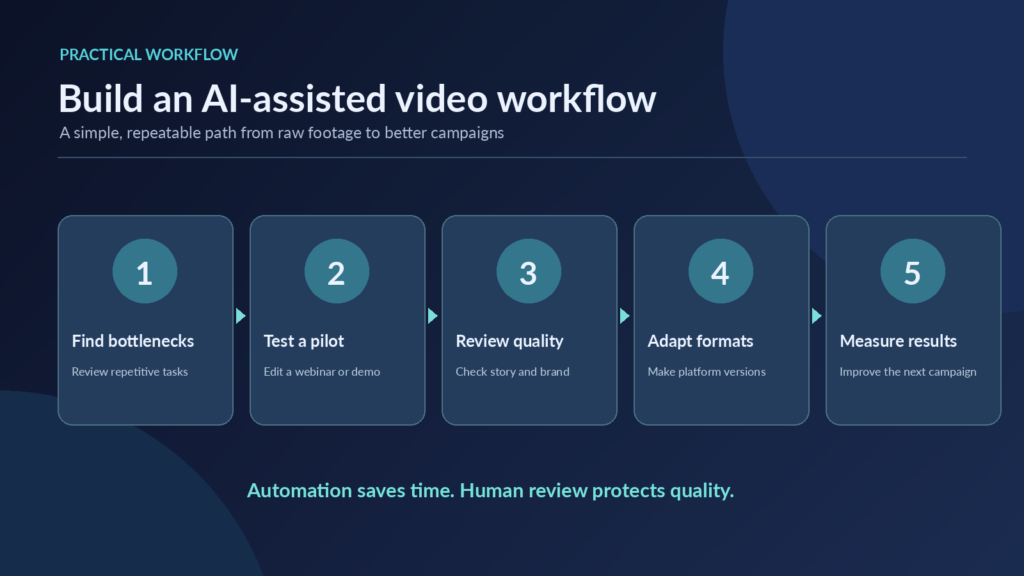
There is no need to replace an entire editing process at once. A small trial is easier to manage and gives the team evidence about what actually helps.
- Identify bottlenecks: Ask editors which tasks absorb time without requiring much creative judgment
- Select a pilot project: Use a webinar, tutorial, or product demo with a clear brief and a manageable deadline
- Set quality standards: Agree on requirements for factual accuracy, captions, visual branding, accessibility, and final approval
- Create platform-specific versions: Adjust the opening, framing, and length for the channels you genuinely use
- Evaluate performance: Compare hours saved, revision rounds, and audience results with your previous approach
After the trial, keep the steps that demonstrably help. If an automated feature creates more corrections than it saves, there is no reason to force it into the process.
For high-visibility campaigns, assign someone to review the final export rather than relying on approval of the script alone. Small errors often appear only after the graphics, subtitles, and audio are assembled.
Conclusion
AI video editing is most valuable when it takes repetitive work out of a good creative process. It can help a small team turn one recording into several thoughtful pieces of content, respond to timely topics, and make videos easier to adapt for different audiences.
But fast exports are not a content strategy. Marketers still have to decide what is worth saying, who needs to hear it, and how the result will be measured. The teams that benefit most will probably be the ones that use automation selectively, check the details, and leave space for ideas that do not come from a template.
A good question to ask after each project is not “How much did the AI do?” but “Did this help us publish something more useful?”
Frequently Asked Questions
Not completely. It can speed up trimming, captions, and other routine steps, but editors are still needed to shape the story, protect context, and catch mistakes.
It can lower production effort and make footage more reusable. Whether that improves ROI depends on costs, distribution, audience response, and the business results the videos produce.
Yes. Using AI during editing does not automatically prevent a video from appearing in search. The subject, quality of the content, and technical setup of its page are more important.